 Skip to content

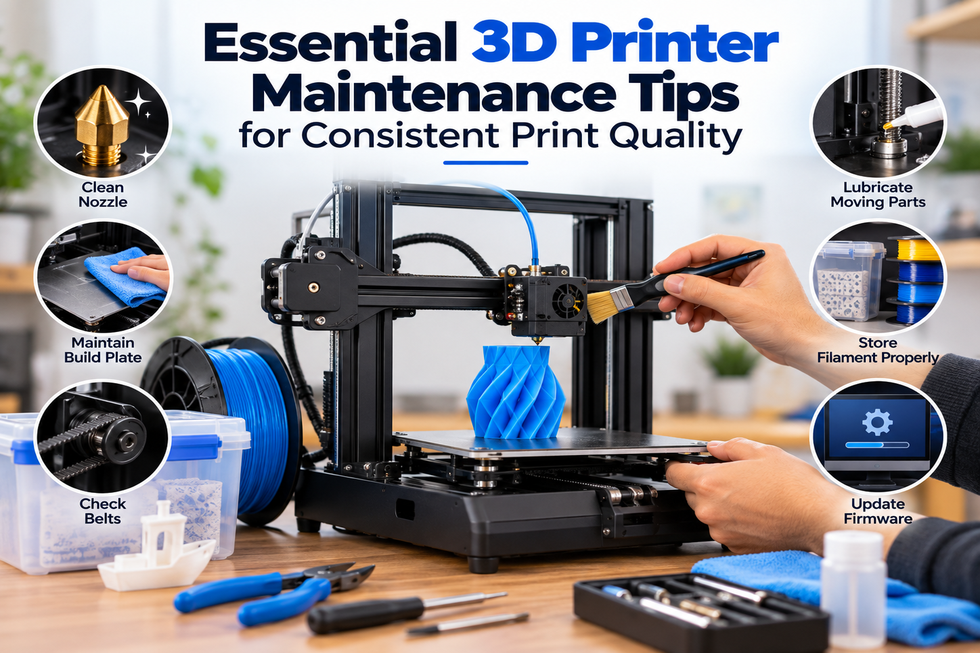
A well-maintained 3D printer delivers better print quality, fewer failures, and a longer lifespan. While many users focus on slicer settings and filament selection, regular printer maintenance is equally important for achieving reliable results.
Dust, loose components, worn parts, and neglected cleaning routines can gradually affect print accuracy and performance. By following a simple maintenance schedule, you can reduce downtime and ensure your printer continues producing high-quality prints.
Why Regular 3D Printer Maintenance Matters
Routine maintenance helps:
- Improve print consistency
- Reduce failed prints
- Extend printer lifespan
- Maintain dimensional accuracy
- Prevent unexpected mechanical issues
- Improve filament flow and extrusion quality
Whether you are a hobbyist or a professional using advanced 3d printing solutions Australia, proper maintenance should be part of your printing workflow.
Keep the Nozzle Clean
The nozzle is one of the hardest-working components of any 3D printer. Over time, residue, dust, and filament particles can accumulate and affect extrusion.
Signs of a Dirty Nozzle
- Inconsistent extrusion
- Missing layers
- Surface imperfections
- Frequent clogging
- Reduced print quality
Maintenance Tips
- Inspect the nozzle regularly
- Remove visible debris before printing
- Perform periodic nozzle cleaning
- Replace worn nozzles when necessary
- Use quality 3d printing filament to reduce contamination
A clean nozzle helps maintain smooth and consistent material flow throughout the print.
Check and Clean the Build Plate
The build plate directly impacts first-layer adhesion and overall print success.
Common Issues Caused by a Dirty Build Plate
- Prints lifting from the bed
- Poor first-layer adhesion
- Warping
- Uneven print surfaces
Best Practices
- Clean the surface after multiple prints
- Remove dust and leftover material
- Inspect for scratches or damage
- Ensure the bed surface remains flat and clean
A properly maintained build plate creates a strong foundation for every print.
Inspect Belts and Pulleys
Belts and pulleys control printer movement and accuracy.
Over time, belts can loosen or wear out, resulting in poor print quality.
Signs of Belt Problems
- Layer shifting
- Inaccurate dimensions
- Visible print defects
- Vibrations during printing
Maintenance Checklist
- Check belt tension regularly
- Look for signs of wear
- Tighten loose components
- Ensure pulleys are securely fastened
Properly adjusted belts help maintain precise movement throughout the printing process.
Lubricate Moving Components
Many 3D printers contain moving parts that require occasional lubrication.
Components to Inspect
- Linear rods
- Lead screws
- Rails and guides
- Bearings
Benefits of Lubrication
- Smoother movement
- Reduced friction
- Improved accuracy
- Lower wear and tear
Always use lubricants recommended by the printer manufacturer.
Verify Bed Leveling Regularly
Even small changes in bed alignment can affect print quality.
Common Symptoms of Poor Bed Leveling
- Uneven first layers
- Weak bed adhesion
- Failed prints
- Nozzle dragging across the surface
Recommended Actions
- Check leveling before important prints
- Re-level after transporting the printer
- Inspect leveling hardware for wear
Consistent bed leveling improves reliability and reduces wasted filament.
Maintain Proper Filament Storage
Printer maintenance goes beyond the machine itself. Filament condition also affects print quality.
Many materials absorb moisture from the air, leading to printing problems.
Problems Caused by Poor Filament Storage
- Stringing
- Surface defects
- Weak layer adhesion
- Inconsistent extrusion
Storage Tips
- Store filament in airtight containers
- Use desiccant packs
- Keep spools away from humidity
- Inspect filament before use
Proper storage helps preserve the performance of your 3d printing filament and reduces troubleshooting later.
Check Electrical Connections
Loose electrical connections can cause unexpected printer behaviour.
Areas to Inspect
- Power connections
- Motor wiring
- Sensor cables
- Control board connections
Why It Matters
- Improves reliability
- Reduces unexpected shutdowns
- Helps prevent communication errors
- Maintains stable printer operation
Always power off the printer before inspecting electrical components.
Update Firmware and Software
Manufacturers regularly release updates that improve printer performance.
Benefits of Updates
- Improved printer stability
- Better compatibility
- Bug fixes
- Enhanced functionality
Before updating, review the release notes and follow manufacturer instructions carefully.
Create a Simple Maintenance Schedule
Routine maintenance is easier when performed consistently.
Weekly Tasks
- Clean the build plate
- Inspect the nozzle
- Remove dust from the printer
Monthly Tasks
- Check belt tension
- Inspect wiring
- Lubricate moving parts if required
Quarterly Tasks
- Deep clean the printer
- Check for worn components
- Verify calibration settings
A simple maintenance routine can prevent many common printing issues.
Conclusion
Consistent print quality starts with proper printer care. Cleaning the nozzle, maintaining the build plate, inspecting belts, lubricating moving components, and storing filament correctly all contribute to better printing performance.
Whether you are producing hobby projects, prototypes, or professional parts using modern 3d printing solutions Australia, routine maintenance helps keep your printer operating efficiently. Combined with quality 3d printing filament, a well-maintained machine will deliver more reliable results and reduce the likelihood of failed prints.