 Skip to content

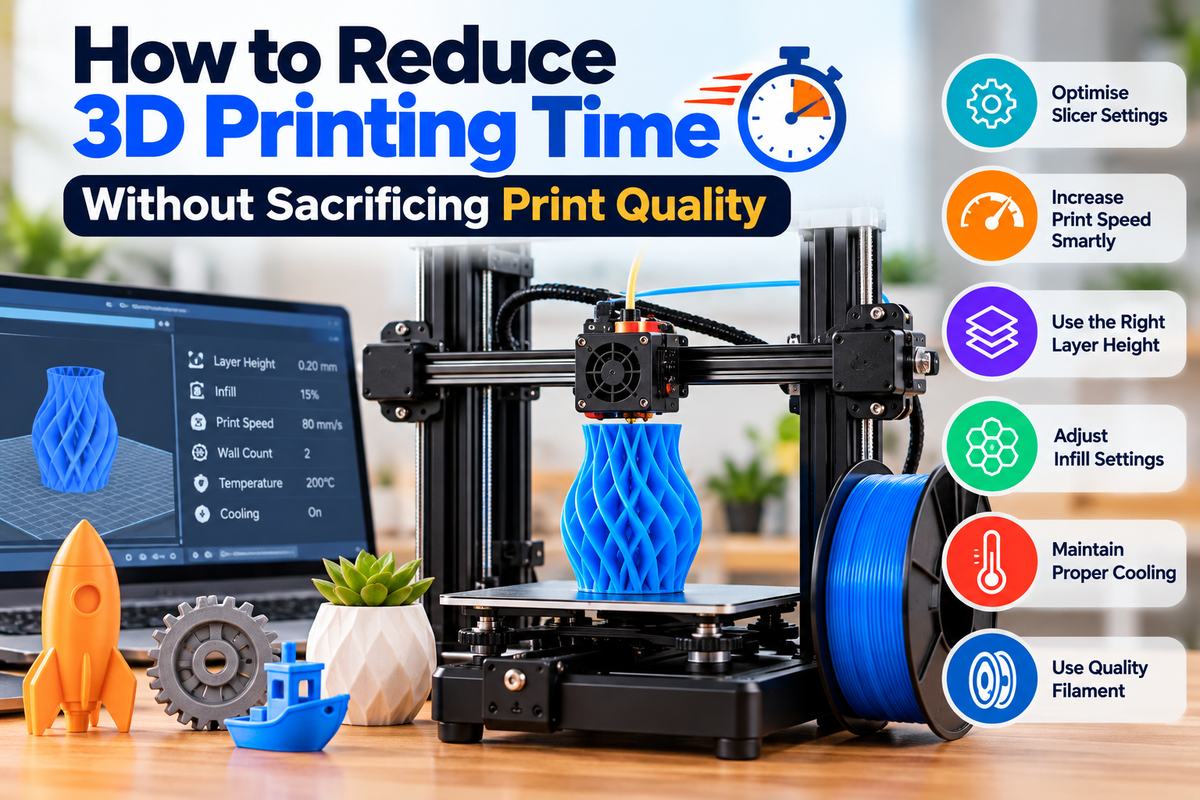
One of the biggest challenges in 3D printing is balancing speed and quality. While increasing print speed can shorten production time, it often leads to visible defects, poor layer adhesion, and reduced accuracy. Fortunately, there are several ways to reduce 3D printing time without compromising the quality of your finished parts.
Whether you are printing prototypes, functional components, or decorative models, optimizing the right settings can help you achieve faster results while maintaining excellent print quality.
Why Print Time Matters in 3D Printing
Long print times can create several challenges:
- Reduced productivity
- Higher energy consumption
- Increased risk of print failures
- Longer project turnaround times
- Less efficient use of equipment
The goal is not simply to print faster but to print smarter by adjusting settings that improve efficiency without affecting the final result.
Increase Layer Height for Faster Printing
Layer height has a direct impact on print duration.
A larger layer height means fewer layers are required to complete a model, reducing overall print time.
Recommended Layer Heights
- 0.12mm to 0.16mm for high-detail prints
- 0.20mm for general-purpose printing
- 0.24mm to 0.32mm for larger functional parts
Benefits
- Faster completion times
- Reduced machine wear
- Suitable for larger models
For many functional prints, a slight increase in layer height produces minimal visual differences while significantly reducing printing time.
Choose the Right Nozzle Size
Many printers come with a standard 0.4mm nozzle, but larger nozzles can speed up production.
Common Nozzle Options
- 0.4mm for balanced quality
- 0.6mm for faster printing
- 0.8mm for large models
Advantages of Larger Nozzles
- Higher material flow
- Reduced print duration
- Stronger layer bonding
- Better performance with specialty materials
A 0.6mm nozzle often provides an excellent balance between speed and print quality.
Optimize Infill Settings
High infill percentages can dramatically increase print times.
Recommended Infill Percentages
- 10% to 15% for decorative items
- 20% to 30% for everyday prints
- 40% to 60% for functional parts
Additional Tips
- Use efficient infill patterns such as Gyroid or Cubic
- Avoid 100% infill unless absolutely necessary
- Match infill density to the intended application
Reducing infill while maintaining adequate wall thickness can often save hours on larger prints.
Increase Wall Efficiency
Many users rely on high infill for strength when increasing wall thickness may be a better option.
Benefits of Thicker Walls
- Improved part durability
- Better structural integrity
- Reduced need for excessive infill
In many cases, increasing perimeter walls while lowering infill can reduce print time and improve strength simultaneously.
Adjust Print Speed Carefully
Increasing print speed can shorten production time, but excessive speeds often create quality issues.
Areas to Optimize
- Perimeter speed
- Infill speed
- Travel speed
Best Practices
- Increase speeds gradually
- Test settings before large projects
- Monitor surface quality and dimensional accuracy
Small speed increases often deliver noticeable time savings without introducing defects.
Reduce Support Structures Where Possible
Supports are sometimes necessary, but they add printing time and consume additional material.
Ways to Reduce Supports
- Reorient the model
- Split complex parts into sections
- Use support-friendly design techniques
- Optimise overhang angles
Reducing support usage can shorten print times and improve post-processing efficiency.
Use Quality Filament for Consistent Performance
Reliable filament helps maintain stable extrusion and reduces the likelihood of failed prints.
Benefits of Premium Filament
- Consistent diameter
- Better layer adhesion
- Fewer extrusion issues
- Improved print reliability
Specialty materials such as carbon fiber PLA filament can offer increased rigidity and strength for functional applications while maintaining excellent print performance when paired with suitable hardware.
For decorative projects, 3d printing filament wood creates a natural wood-like appearance that can reduce the need for additional finishing and painting, saving time after printing.
Improve Model Design Before Printing
Thoughtful design adjustments can significantly reduce print duration.
Design Considerations
- Minimise unnecessary thickness
- Remove hidden internal features
- Use lightweight structures where appropriate
- Simplify overly complex geometry
A well-optimised model often prints faster without affecting functionality.
Use Adaptive Layer Heights
Many modern slicers offer adaptive layer height settings.
How It Works
- Fine layers are used on detailed sections
- Larger layers are used on simpler areas
- Print quality is preserved where needed
Advantages
- Reduced printing time
- Better surface quality
- More efficient use of printer resources
This feature is particularly useful for complex models that contain both detailed and simple surfaces.
Keep Your Printer Well Maintained
A poorly maintained printer often requires slower speeds to achieve acceptable results.
Regular Maintenance Tasks
- Clean the nozzle
- Lubricate moving components
- Check belt tension
- Verify bed leveling
- Inspect cooling fans
A properly maintained printer can operate more efficiently and consistently at higher speeds.
Conclusion
Reducing 3D printing time does not have to mean sacrificing print quality. By adjusting layer height, selecting the right nozzle size, optimising infill settings, improving model design, and using quality materials, you can significantly shorten print times while maintaining reliable results.
Whether you are working with standard materials, carbon fiber PLA filament, or specialty options such as 3d printing filament wood, making smart adjustments to your workflow can help you achieve faster production and better overall printing efficiency.