 Skip to content

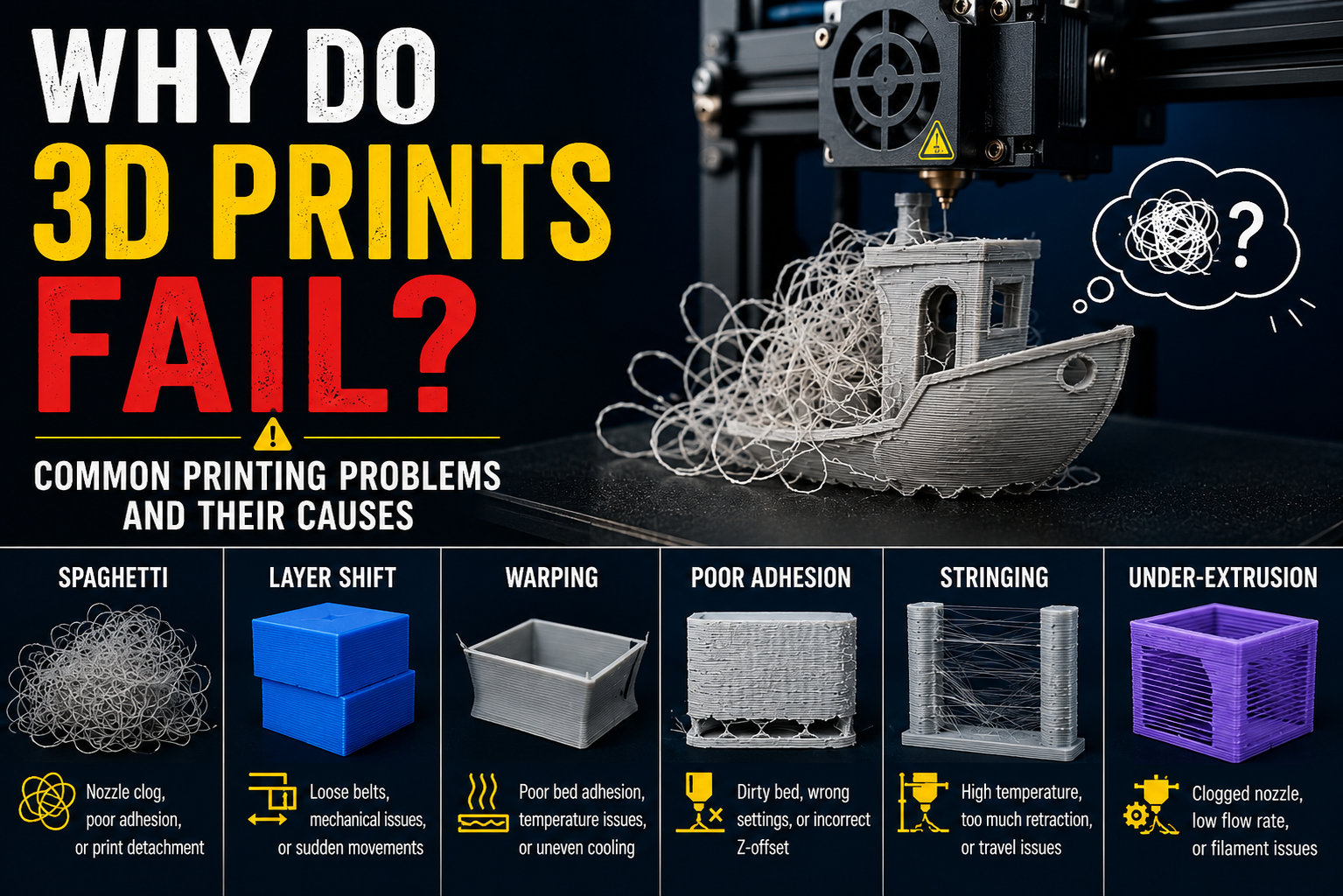
3D printing can produce highly detailed and functional parts, but even experienced users encounter failed prints from time to time. A print that starts perfectly can quickly develop issues such as warping, stringing, poor layer adhesion, or complete print failure.
Understanding the most common 3D printing problems and their causes can help you improve print quality, reduce material waste, and save valuable time. Below are some of the most frequent issues faced by 3D printing enthusiasts and professionals, along with the reasons they occur.
1. Warping and Corner Lifting
Warping occurs when the edges or corners of a print lift away from the build plate during printing.
Common Causes
- Build plate temperature is too low
- Poor first-layer adhesion
- Drafts or sudden temperature changes around the printer
- Incorrect bed leveling
- Using materials that shrink significantly during cooling
How to Reduce Warping
- Ensure the build plate is properly leveled
- Use the recommended bed temperature for your filament
- Clean the print surface before each print
- Add a brim or raft for better adhesion
- Keep the printing environment stable
2. Stringing Between Printed Parts
Stringing appears as thin strands of plastic stretching between different sections of a print.
Common Causes
- Retraction settings are not optimized
- Printing temperature is too high
- Moisture absorbed by the filament
- Travel movements crossing open spaces
How to Reduce Stringing
- Adjust retraction distance and speed
- Lower the nozzle temperature within the recommended range
- Store filament in a dry environment
- Perform regular temperature tower tests
3. Poor Bed Adhesion
If the first layer does not stick properly, the entire print can fail.
Common Causes
- Dirty print surface
- Incorrect nozzle height
- Uneven build plate
- Incorrect first-layer settings
How to Improve Bed Adhesion
- Clean the build plate regularly
- Recalibrate the nozzle height
- Slow down the first-layer speed
- Increase first-layer width if needed
A strong first layer creates the foundation for a successful print.
4. Layer Separation and Weak Prints
Layer separation occurs when printed layers fail to bond properly, resulting in weak or cracked parts.
Common Causes
- Nozzle temperature is too low
- Excessive cooling
- Printing too fast
- Incorrect material settings
How to Improve Layer Bonding
- Increase nozzle temperature slightly
- Reduce cooling fan speed for certain materials
- Adjust print speed
- Follow manufacturer-recommended print settings
Good layer adhesion is essential for creating durable functional parts.
5. Under Extrusion
Under extrusion happens when the printer does not deposit enough material during printing.
Common Causes
- Partial nozzle clog
- Filament feeding issues
- Worn extruder gears
- Incorrect flow rate settings
Signs of Under Extrusion
- Gaps between layers
- Missing sections in walls
- Weak print structure
- Inconsistent surface finish
Recommended Solutions
- Clean the nozzle
- Check the filament path
- Inspect extruder components
- Calibrate flow settings
6. Over Extrusion
Over extrusion occurs when too much filament is pushed through the nozzle.
Common Causes
- Incorrect extrusion multiplier
- High flow rate settings
- Filament diameter settings entered incorrectly
Common Symptoms
- Rough surfaces
- Excess material around corners
- Poor dimensional accuracy
- Visible blobs on the print
How to Fix It
- Recalibrate extrusion settings
- Verify filament diameter values
- Reduce flow rate if necessary
7. Nozzle Clogs
A clogged nozzle can interrupt material flow and cause complete print failure.
Common Causes
- Dust or debris in the filament
- Low-quality filament
- Printing at incorrect temperatures
- Carbon buildup inside the nozzle
Prevention Tips
- Use quality filament
- Keep filament clean and dry
- Perform regular nozzle maintenance
- Replace worn nozzles when necessary
Preventive maintenance often eliminates many printing issues before they occur.
8. Shifting Layers
Layer shifting creates a misaligned print where layers no longer stack correctly.
Common Causes
- Loose belts
- Mechanical obstructions
- Motor skipping steps
- Excessive print speed
How to Prevent Layer Shifts
- Tighten belts regularly
- Inspect moving components
- Reduce print speed if required
- Ensure cables do not interfere with movement
Tips for Consistently Successful 3D Prints
To improve print quality and reduce failures:
- Store filament in airtight containers
- Calibrate your printer regularly
- Use quality materials
- Clean the printer frequently
- Follow recommended print settings
- Test new filaments before large projects
Small adjustments often make a significant difference in print quality.
Conclusion
Most 3D printing failures can be traced back to a few common factors such as temperature settings, bed adhesion, filament condition, or printer calibration. Understanding these issues allows you to troubleshoot problems quickly and improve printing success rates.
Whether you are a beginner or an experienced maker, taking the time to identify the root cause of a failed print can help you achieve stronger, cleaner, and more reliable results on future projects.